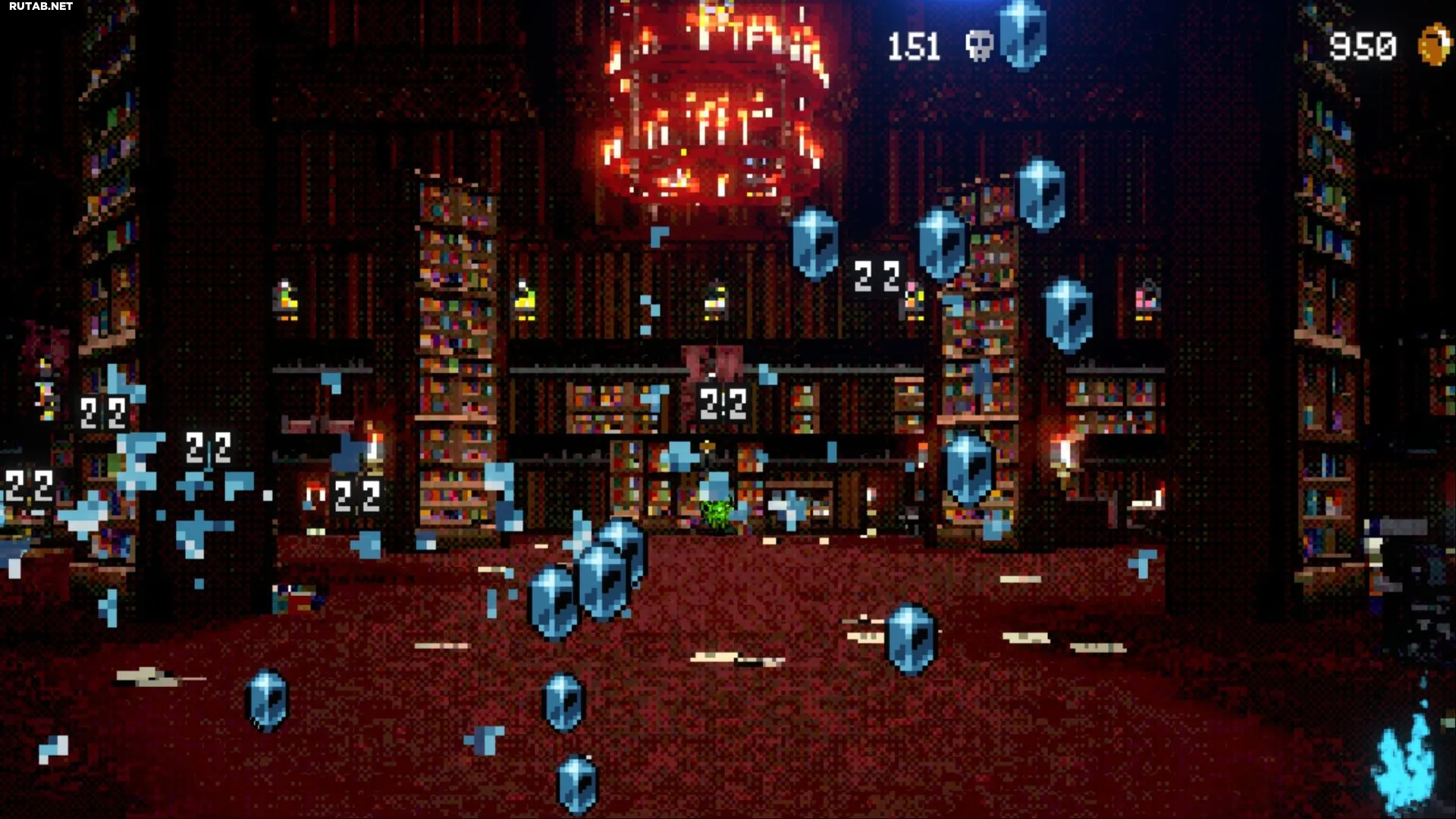
The game Vampire Crawlers throws players into the thick of events almost immediately after launch. Combat begins virtually instantly, and while diving into it unprepared can be fun, it can also be confusing. Looking at the combat interface, newcomers often get lost due to the abundance of information.
To fully master the game, you need to understand what each icon and color means. This guide will tell you everything about the combat interface in Vampire Crawlers.
Understanding the Combat Interface in Vampire Crawlers
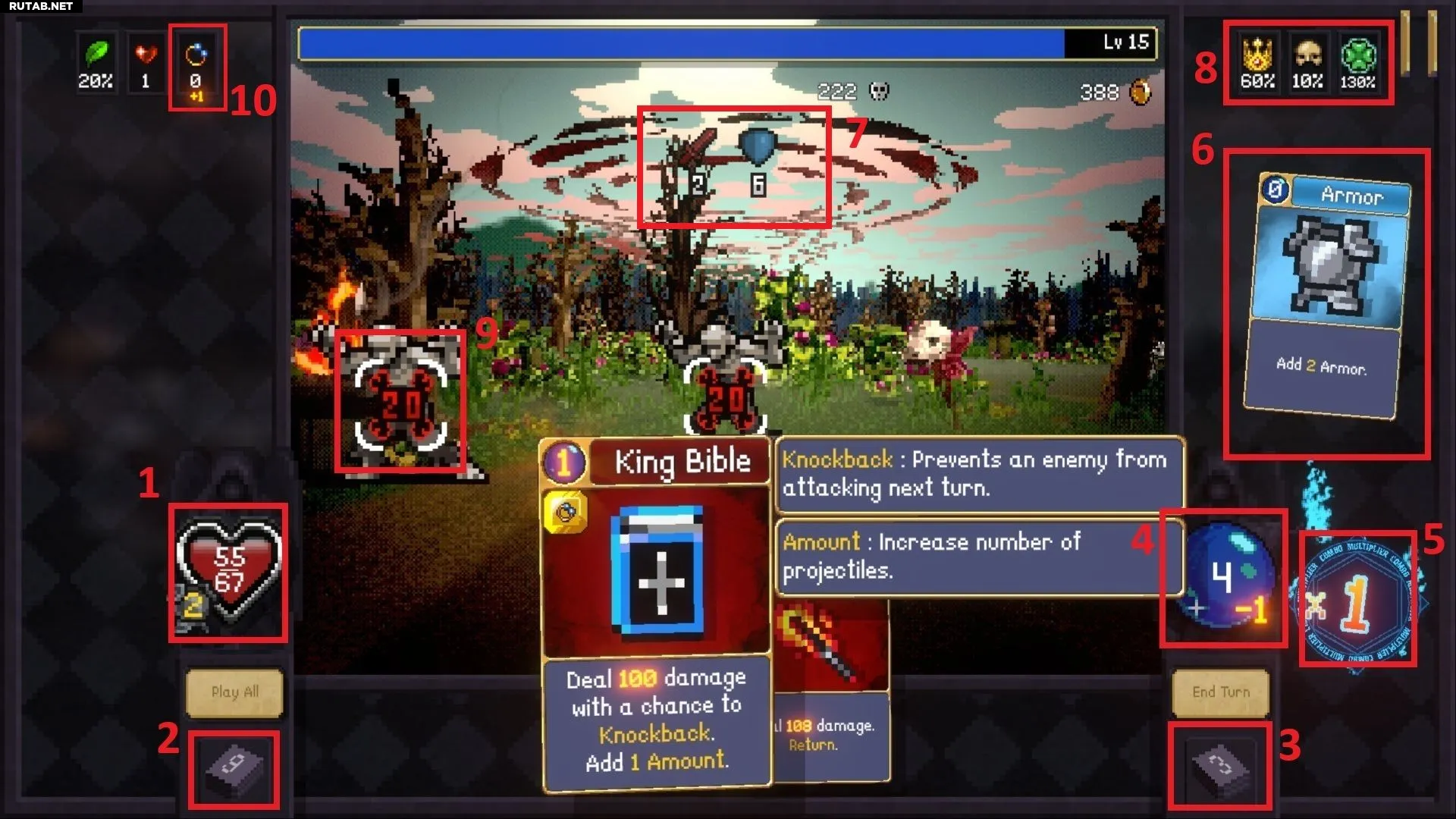
Before breaking down each symbol, it’s worth remembering a few things. In addition to card effects (such as “discard”), yellow values are temporary, and orange values are what the player will gain or lose when playing a card. These numbers are visible when hovering over a card before applying it.
For example, if a mana value has a “-1” next to it, it means that playing the selected card will cost 1 mana. If the symbol for the number of projectiles has a “+1”, the number of projectiles will increase by one. Here is a complete breakdown of all the elements of the combat interface:
| # | Element | Description |
|---|---|---|
| 1 | Health and Armor | Displays health (permanent) and armor (resets after combat). |
| 2 | Deck | Cards that have not been used yet. |
| 3 | Discard | Cards that have already been used. |
| 4 | Mana Counter | Shows how much energy is left for this turn. |
| 5 | Combo Multiplier | Multiplies attack and effects by the number of cards played in a row (either increasing or using a “wild” card between them). |
| 6 | Played Cards | Cards chosen for this turn but not yet sent to the discard pile. |
| 7 | Enemy Power | A sword shows the damage that the current row of enemies will deal. The player does not lose health if their armor is equal to or exceeds the enemy’s attack power. A shield displays the enemy’s defense power. |
| 8 | Permanent Stats | White values are indicators that do not reset after combat. On the right are passive stats (experience, money, luck), and on the left are those that directly affect combat. |
| 9 | Damage Dealt | The number shows how much damage the enemy will take from the selected card. |
| 10 | Card Effects | Displays how the selected card will affect a particular characteristic. |
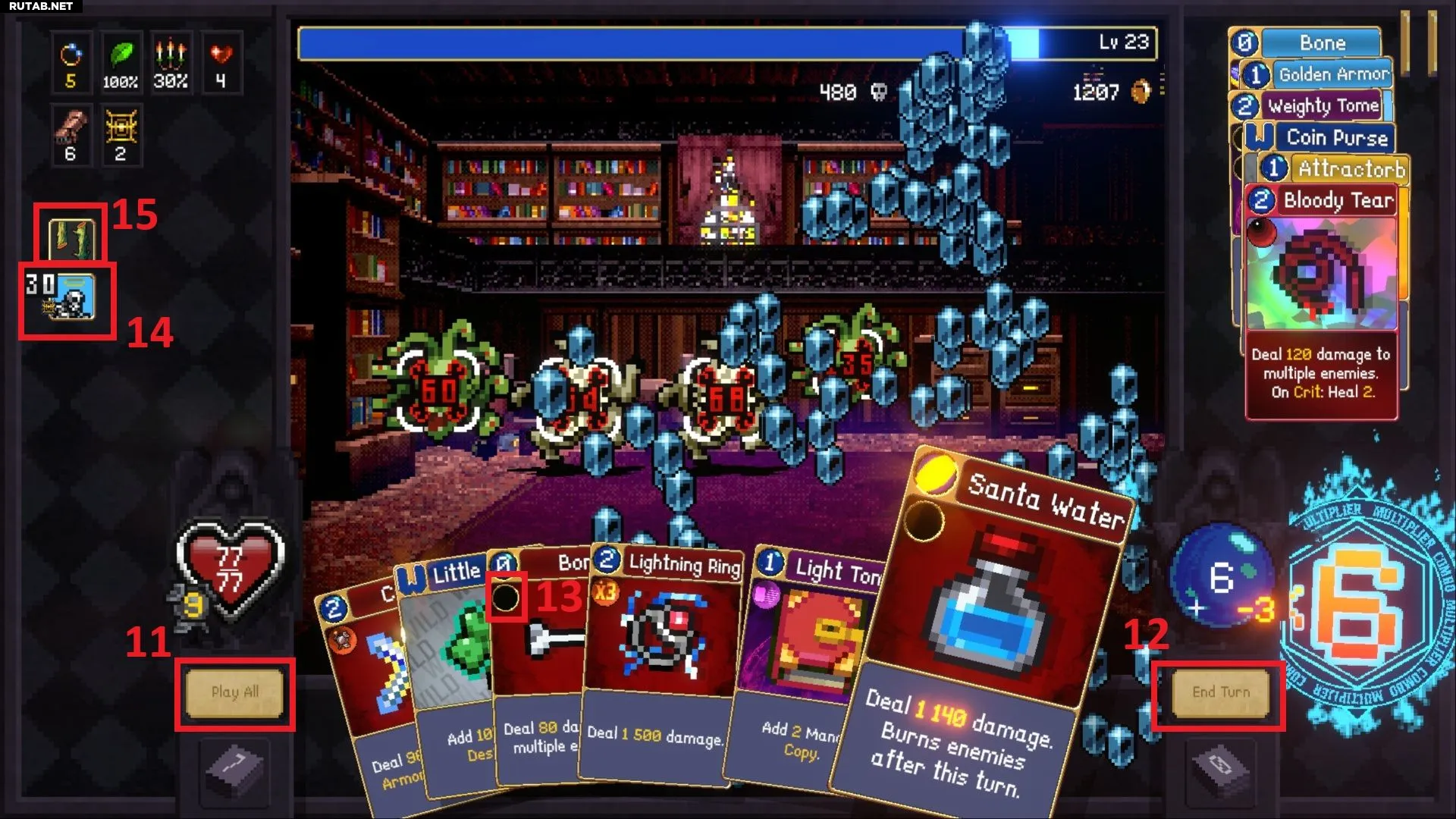
| 11 | Play All | Automatically selects and plays all available cards. |
| 12 | End Turn | Allows the player to end their turn without playing all the cards in their hand. |
| 13 | Gem Socket | Gems give cards special effects. If a card has a socket, the gem is placed in it. The gem’s effect can be seen by hovering over the card. |
| 14 | Crawler Info | This square shows how many times a crawler’s special ability can be activated and what it does. |
| 15 | Arcana Info | Hovering over this square will show the effect of the current Arcana. |