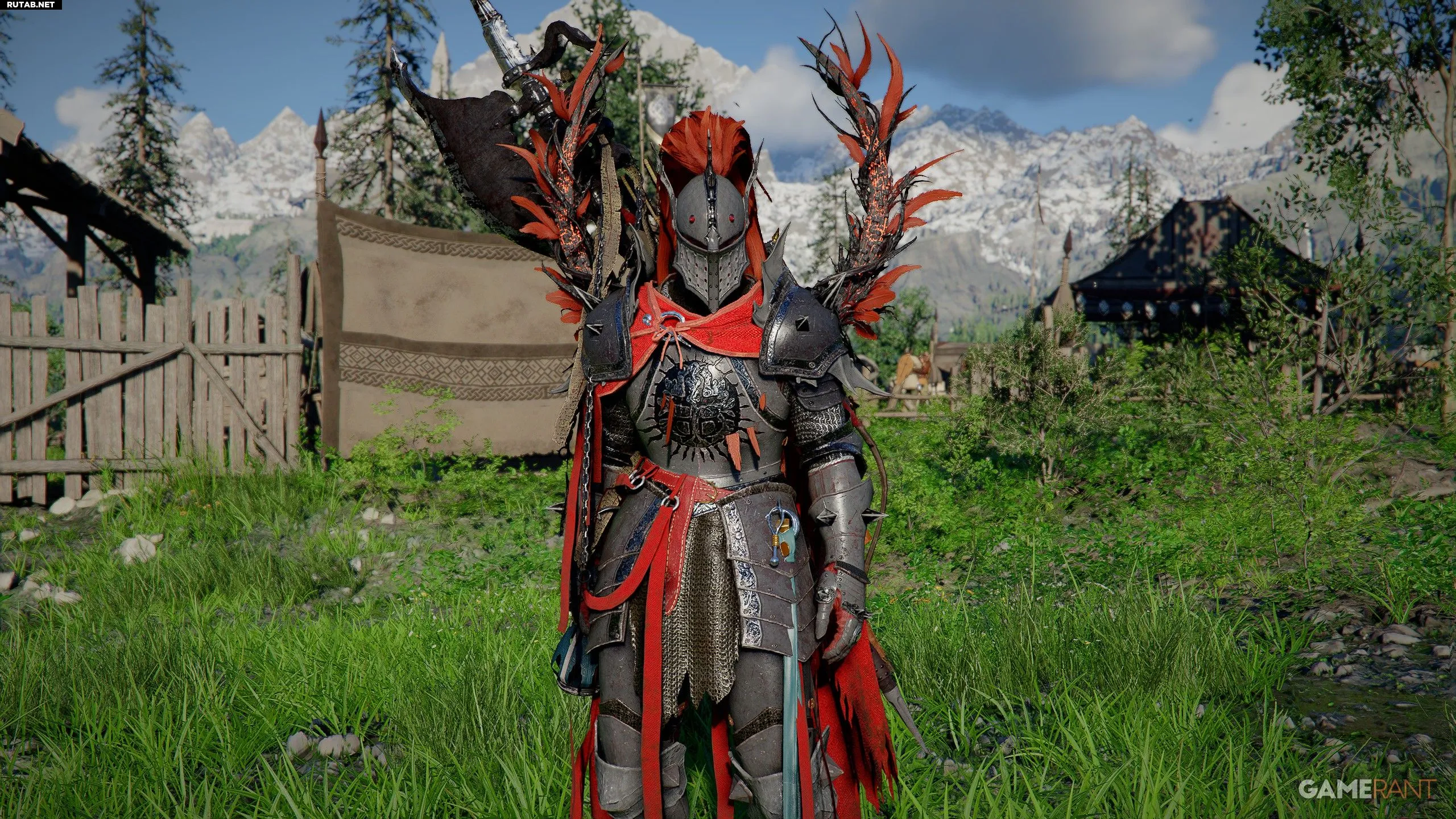
The Cassius Morten armor set is one of the most striking and fearsome in Crimson Desert. Naturally, many players want to obtain it, especially since armor from other bosses in the game can be found. Unfortunately, the Cassius Morten armor is not standard loot, but that doesn’t mean the path to it is closed.
Modder ThyLD on Nexus Mods created a mod that adds the Cassius Morten armor set to the game as wearable gear for Cliff, and installing it is very simple. For those who want to don the Cassius Morten armor, a step‑by‑step guide is provided below.
You might also be interested in:
As mentioned, the Cassius Morten armor is unavailable for wear without mods. Consequently, only PC players can install this mod by ThyLD. The mod replaces the visual appearance of either the “Frostcursed” set or the “Scorchflame” set, so be prepared to say goodbye to one of them.
How to install the Cassius Morten armor set mod in Crimson Desert
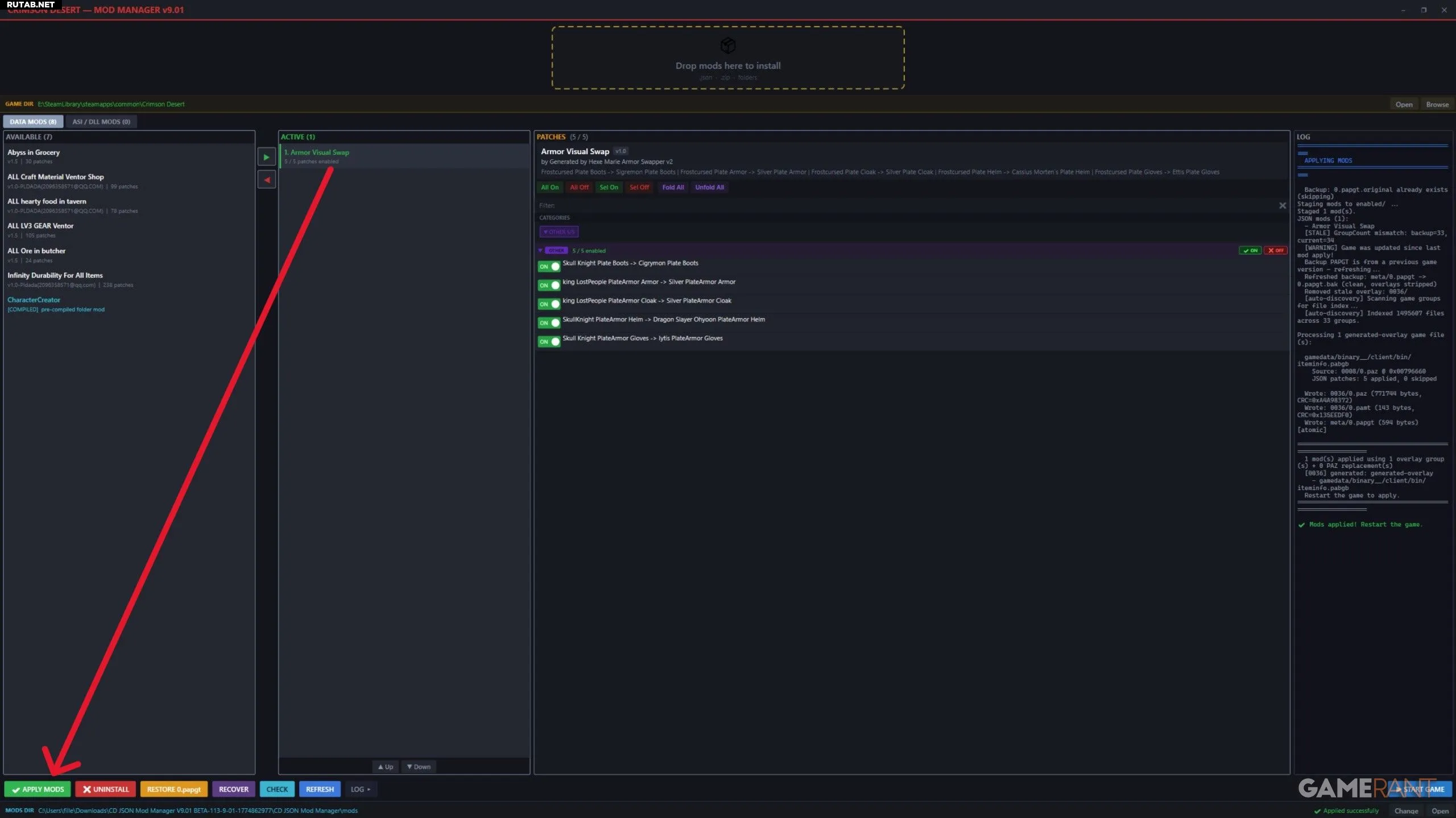
- First, go to Nexusmods.com to download and install JSON Mod Manager by PhorgeForge.
- After downloading, extract the ZIP archive to any location on your PC.
- Run the “mod_manager.exe” file from the mod manager folder.
- The program should automatically locate the Crimson Desert files. If it doesn’t, click “Browse” and specify the path manually.
- Now download the Cassius Morten Armor Set mod by ThyLD and choose between the versions that replace the “Frostcursed” armor or the “Scorchflame” armor.
- After downloading, extract the mod file and open JSON Mod Manager.
- Drag the armor‑replacement mod file into the manager window.
- In the manager, on the “Available” tab, select “Armor Visual Swap” and click the green arrow.
- When the mod appears on the “Active” tab, click the “Apply Mods” button in the lower left corner.